
- Personal, hands-on training
- Complete documentation & tutorials
- Customized support plans & more...
Davison CMMS & PredictMATE Overview
- Easy configuration with minimal training required
- Assistance building your equipment list and preventive maintenance.
- Complete documentation and context-sensitive help buttons.
- Small training requirement to get started
- On-site training and setup available
- Work orders & scheduling
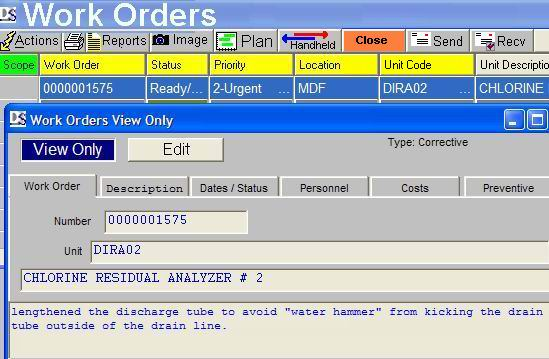
- Request a work order in a simple window or directly from email.
- Email work order requests and updates, sent and received from an email account. This can reduce the number of users required.
- Gantt Chart for planning work orders.
- Work orders generated from PredictMate.
- Equipment inventory (parts)
- The Inventory Lead Time report lists work orders with not enough parts.
- Quantity and reorder points are maintained as parts are used from work orders.
- Parts are grouped and assigned to equipment, work orders, and preventive maintenance tasks.
 Click to enlarge Click to enlarge |
- Preventive maintenance (PM)
- Schedule preventive maintenance with optional routes.
- Print a PM list or mix PM tasks with Corrective work orders.
- PM schedules around a single calendar date or simply from the last completed PM.
- Scheduling for seasonal or other options. Un-do scheduled PM.
- Management reports
- Management reports plus custom reports with support.
- Built-in report changes with ReportWorks Lite.
- PredictMATE™
- Predictive maintenance (PdM) integrated with the CMMS.
- Analysis & Forecasting
- Receive about any type of data from various sources.
 Click to enlarge Click to enlarge |
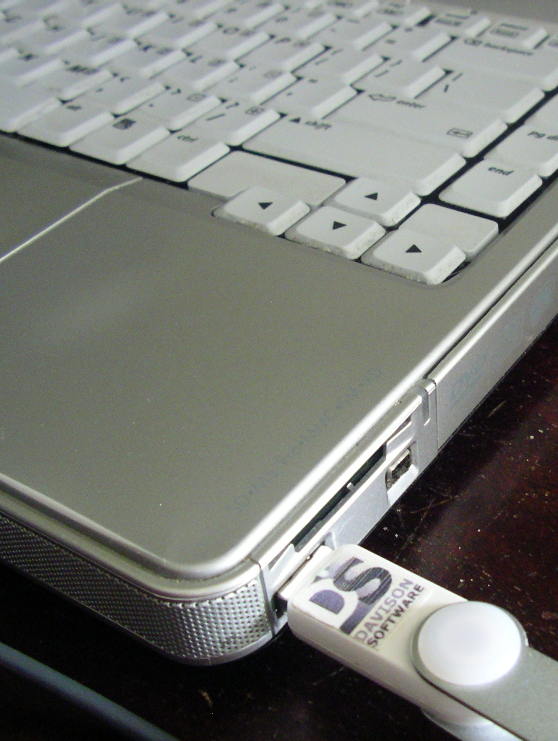
- CMMS or PredictMate™ on a USB removable drive
- Run CMMS or PredictMate on a removable USB flash drive at a remote, and then update at a host computer.
- Inexpensive in comparison to handheld devices.
- No separate training for a handheld device.
- You can review remote data entry before updating the host.
- Give work orders to personnel on the USB drive.
- Import/export data
- Export to text (CSV, TXT), Excell (.XLS) or replicate via ODBC.
- Replicate from many remote sites to one host database in MS Access, SQL Sever, SyBase, MySQL, Oracle. Economical for multi-site organizations (not web based).
- Special imports from Excell (XLS) spreadsheets.
- Special data entry from Excell spreadsheets.
 Click for PDA Views Click for PDA Views |
- Handheld in Palm OS, Windows CE, Android
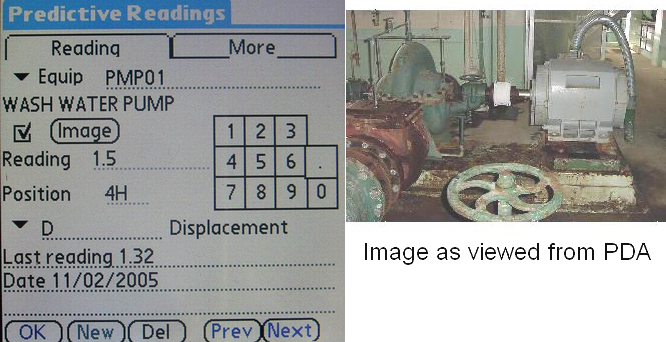
- Transfer data with a Palm OS, Windows CE, Android handheld device for Equipment, Work Orders, Preventive Maintenance, Parts Inventory, and Predictive Readings.
- Handheld pictures (JPEG format) are compressed from full-sized images and related to handheld records - Palm OS only.